The activity log
Every change anyone has made in your organization, one line each, and none of them can be edited or deleted.
What it does
The activity log records every change made in your organization: a name set, a member invited, a payment schedule edited, a transaction proposed, signed or executed. Each entry is written in the same step as the change it describes, so a change cannot happen without its line. The log covers every Safe the organization tracks, in one list, newest first.
It also records two things the chain never states plainly: a proposed transaction that never executed because another one used its nonce first, and an owner declining a transaction rather than signing it.
What could go wrong without it
The chain shows what a Safe executed. It does not show who renamed an address the day before a payment went to it, who changed a payee's amount, or who gave a new member the admin role. Without a record, those questions are answered from memory, and memory is exactly what someone who made a bad change will argue with.
What you see in the app
The log is under Settings → Activity, and only admins can open it. A viewer who goes there is told it is admin-only, because it holds before-and-after values from parts of the organization a viewer cannot see.
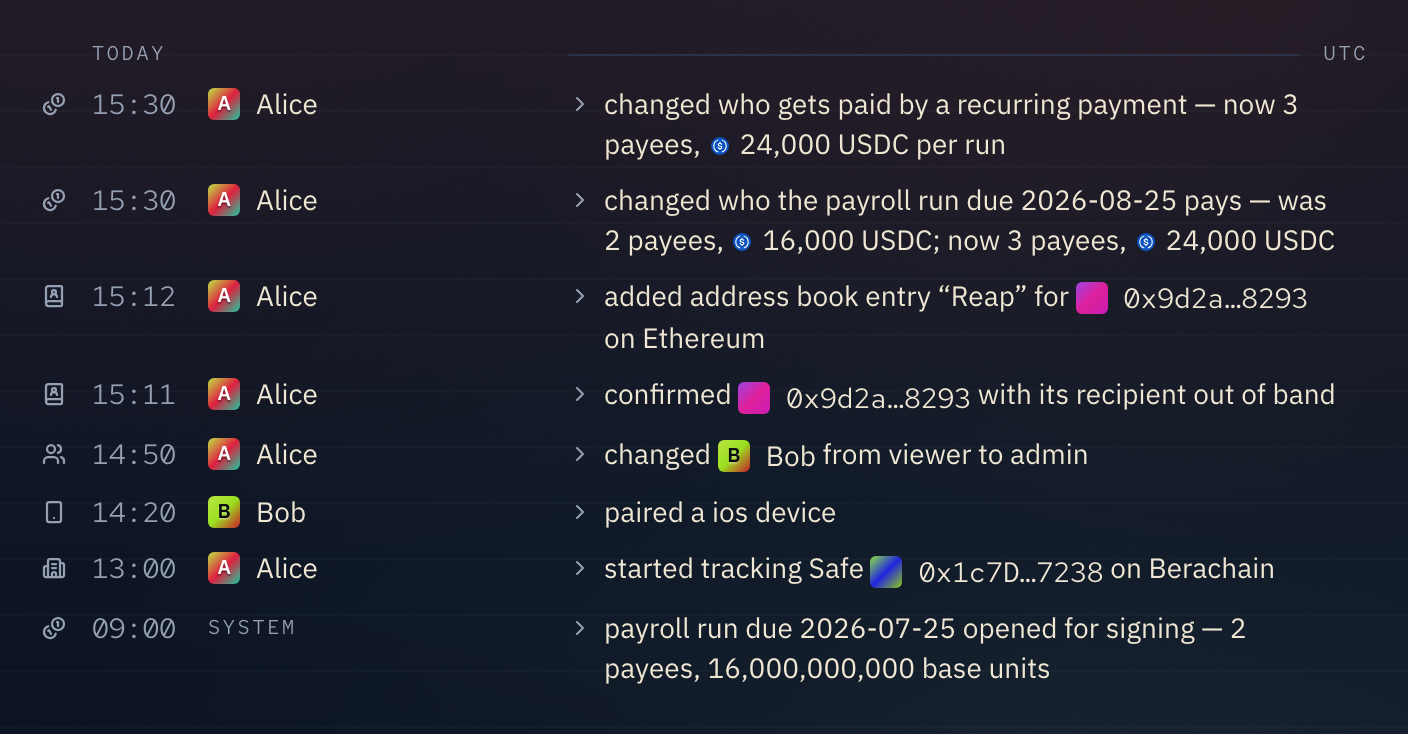
Each row reads left to right: a glyph for the kind of change, the time in UTC, who did it, and what they did. Days are divided by headings such as TODAY and YESTERDAY, also in UTC. Entries the app made on its own, such as noticing an execution on chain, show SYSTEM as the actor.
The glyph says which of five kinds a row is. Hover it for its name.
- Coins. Money: a transaction, a payment schedule, a payment run or a swap.
- Address card. A name in the address book.
- People. A member, an invite or a signer.
- Phone. A paired device.
- Building. The organization, one of its Safes, or a workflow.
The glyph turns green for an executed transaction and red for a removal, such as a member removed or a schedule deleted.
A transaction. "executed transaction #12 on chain" means the Safe's transaction with nonce 12 was executed, by the person in the actor column. The number is the nonce, the one thing the proposal, each signature and the execution have in common, so consecutive rows about the same transaction are joined by a line down the left. When nobody can be named as the sender, the row reads "transaction #12 executed on chain" instead. The chain is the link on the right, named after its explorer, such as "Berascan" on Berachain.
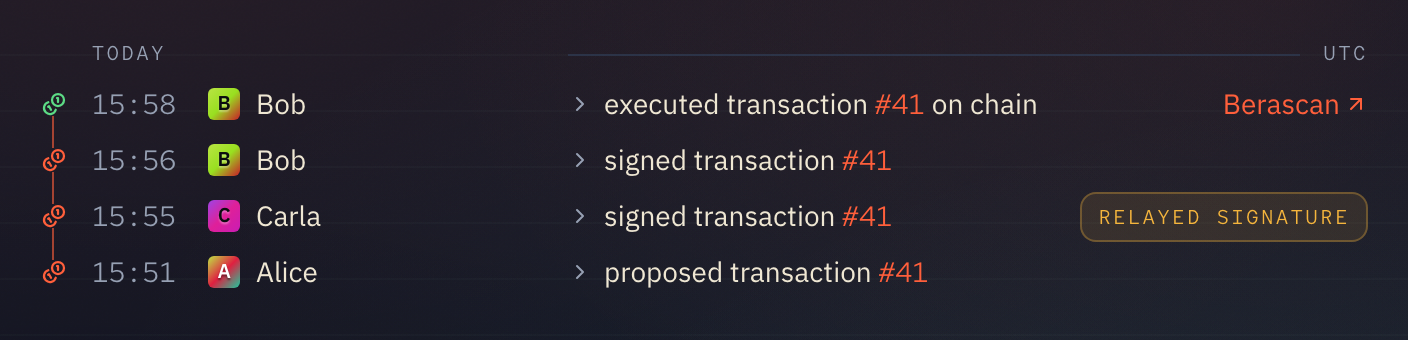
Details. Click a row to open everything recorded with it: the exact time, the chain by name and number, the transaction hashes with links, and the sentence as it appears in the export. A "Relayed signature" tag means the signature came from a different address than the account that submitted it.
Filter and export. Filter by actor, by action and by date range, or export the filtered log as a CSV of up to 10,000 entries. A longer export says in the file that it was cut off.
What it does not do
Nobody can edit or delete an entry, admins included. The database refuses the change. A mistake is corrected by a later entry, never by rewriting the old one.
Signing in and out are not recorded, and neither is changing your own notification settings: they are about your session, not the organization.
The log is not per Safe and not per member. An admin sees the whole organization's log, and a viewer sees none of it.